Ian Shepherd’s Home Mastering Masterclass

Filed in Mastering | Software | Tutorial 3 Comments

Are you ready to take your home studio mastering skills up about 10 notches? Ian Shepherd – mastering engineer, loudness activist and full-time Englishman – has just released a new audio mastering training course. This is really exciting and don’t know of ANY other product like it. Videos, written material, interviews and in-depth while Ian masters real songs.

The course is 7 weeks and just opened up with a 50% off discount!

I’ve been getting pretty good results with mastering on my own but I’ll be jumping at this chance to accelerate my mastering skills, will you?

Guest Post: How to Use Compressors

Filed in Mixing | Techniques | Tutorial 4 Comments

This guest post comes from Barry Gardner, mastering engineer at SafeandSound online mastering services

How to Use Compressors

One of the most common tools that will be found in music production studios is an audio compressor. I will initially make distinction between dynamic range compressors and for example an MP3 compressor, here we are dealing with the control of audio dynamics not lossy audio formats. Compressors have been used since the 1950′s initially in radio broadcasting and also in the creation of vinyl records. An audio compressor is a device which could be described in it’s simplest form as an automatic level dependent fader. A compressor has a number of uses in a music mix and we will explain what those uses are and the basic controls. Audio compressors can be used for both practical and creative purposes. Practically a compressor can even out the loud and soft levels within a piece of audio, creatively we can affect the sound tonally and alter the transients (peaks) within the audio. You will find both analog and digital audio compressors and the controls found on them are largely the same so either will be suitable for practicing the controls.
Compressors have a number of controls which may initially be confusing for a new user. We will outline and discuss each control. It can be useful to have a plugin instance open when you go through each control. Please note not all audio compressors will have all controls.

  • Threshold – The threshold on a compressor determines the signal level at which the onset of compression begins.
  • Ratio – The ratio relates to the amount of compression that is applied once the threshold has been exceeded. The higher the ratio the more more compression. For example a ratio of 5:1 means if the threshold is exceeded by 5dB the output will rise by only 1dB
  • Attack – This time constant determines how quickly the compression will occur at onset and relates to the transient peaks in the audio. Often stated in milliseconds. Occasionally scaled 1-10.
  • Release – This time constant determines how quickly the compression action will return to a state of no compression. Often stated in milliseconds. Sometimes scaled 1-10.
  • Make up gain – Compression reduces overall level of a piece of audio by bringing down the level of the peaks, however by using the make up gain (normally adding the same amount as indicated on the gain reduction meter) you can bring up the overall perceived volume. Continue Reading

, , , ,

DECAPITATED – Carnival Is Forever Studio Report 2011

Filed in Producing | Recording | Video 2 Comments

In this video we see the Tech-Death Metal band Decapitated in the studio making their 2011 album Carnival Is Forever.

The album was recorded by “Malta” Malczewski at RG Studios in Poland. Daniel Bergstrand makes an appearance for the drum recording, he also mixed the album.

There are some interesting things to see in here

  • Using a piano as a kick drum baffle
  • SM7B and RE20 attached together to mic the snare drum
  • Lots of Neumann U87s around the drum kit
  • A big pile of amps and cabs for guitars
  • Combining amps to get a brutal tone
  • the ‘submarine’ sound
  • clanky bass
  • Vocals miked with Shure SM7B and Brauner Phantom

iOS Music Making

Filed in iPhone | Software 3 Comments

As you may have heard, I recently got an iPhone. Suddenly apps, accessories and bunch of other distractions have become part of my life. I tried to ignore this stuff for a long time but now that I have an iPhone I’m really happy all the audio peripherals and apps are available.

Today I just want to bring your attention to a few related items.

I recently invited Dan Comerchero, creator of the Quiztones App and Obi Marroquin from IK Multimedia to be guests on the Home Recording Show Podcast.  We had a great chat about using iphones and ipads in the studio and our favorite apps. Check out Show 166 – IOS Music Making and more

A few days after that I wrote a guest post for The Pro Audio Files, 12 Ways to Use Your iDevice in the Studio.  Go there to see the list, and a ton more cool articles.

Lastly, if you’re into iOS music making, get yourself to iDesignSound, particularly to their staff favorites list at the bottom of each page. There are so many audio apps, iDesign sound has reviewed a ton of them and created a database to help you wade through all the apps and hardware. If you want to go deeper, they link to many other resources.

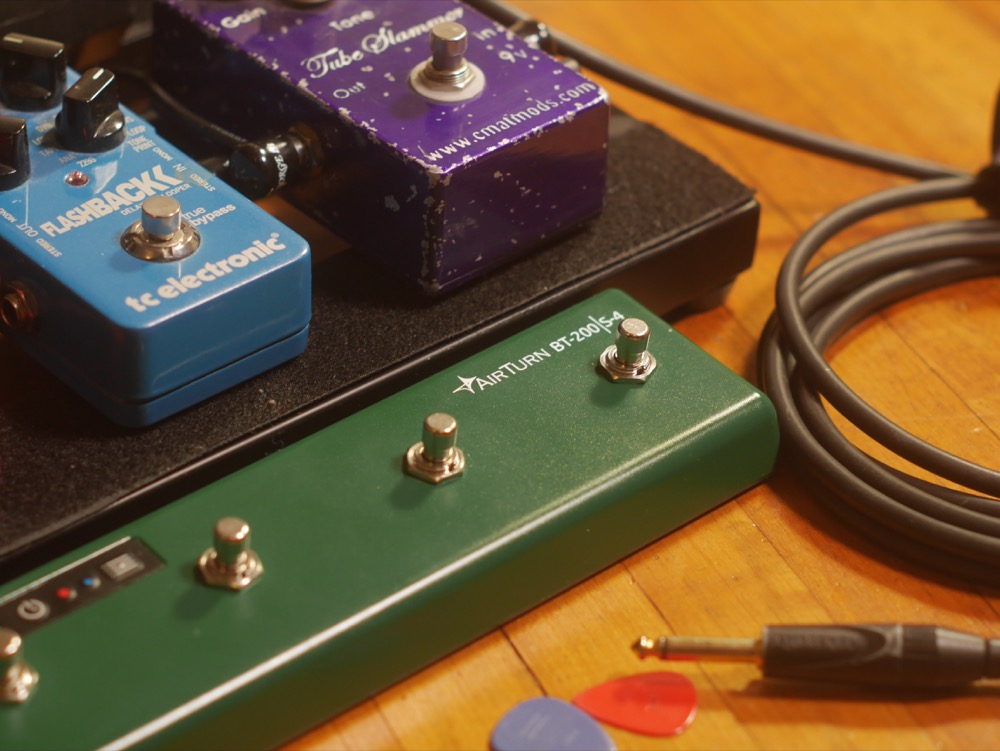
Review: TC Electronic Flashback Delay Pedal

Filed in Gear | Guitar | Review | Shootout 6 Comments

TC Electronic Flashback Delay PedalOverview
The TC Electronic Flashback is a digital delay pedal with 9 distinct delay styles; a looping function; and Tone Print, an extra mode that can be loaded with downloadable artist preset. The pedal has stereo in/out, buffered or true-bypass and controls for FX level, Decay, feedback and mode plus a 3 way toggle to divide the timing.
The pedal is powered by 9V battery or standard DC pedal power. The bottom of the pedal is removable with one screw revealing the battery compartment and a pair of DIP switches. The first switch activates the buffer circuit which helps keep the signal strength consistent in a large pedal board. The second switch mutes the dry signal for use in a parallel signal chain.

Delay time can be set in two ways. First by using the delay knob, the time range is from 20 ms up to 7 seconds, except in slap mode which goes up to 300ms. Having this very long delay time available takes some getting used to, coming from analog pedals. Basically anything past 12 O’clock will be too long for anything but special effects.
The other way to set tempo is with the unique audio-tap function. Push and hold the bypass button, strum the guitar, lift your foot and the delay is in time. This is a very fast and intuitive way of setting tempo.
The toggle switch takes your delay time from 1/4 notes, to dotted 1/8th notes or 1/4″ + dotted 1/8th. When the pedal is used with dual outputs, most of the modes will have a mono output unless this third toggle position is selected. Continue Reading

, , , ,

Guitar store adventures – 5 mini guitar gear reviews

Filed in Gear | Guitar | Review 8 Comments

Once in a while I make my way downtown (Vancouver) and waste an hour or two messing around with whatever guitars, amps, and pedals that catch my eye. On these outings I grab some gear, go into an iso booth and compare. For example, on my first trip I compared an Ibanez TS9 to a BBE Green Screamer and MXR GT-OD – each a Screamer style overdrive – and in 5 minutes found I liked the TS9 most. It takes a great deal of self-control to walk out of the store with just one pedal or nothing.

It occurred to me that writing down some first impression reviews of the gear I try out may have some value to someone. I’m certainly not well known for my guitar playing but you guys seem to respect my opinion on gear and sound, or else you wouldn’t read AGZ.

Continue Reading

TOP